
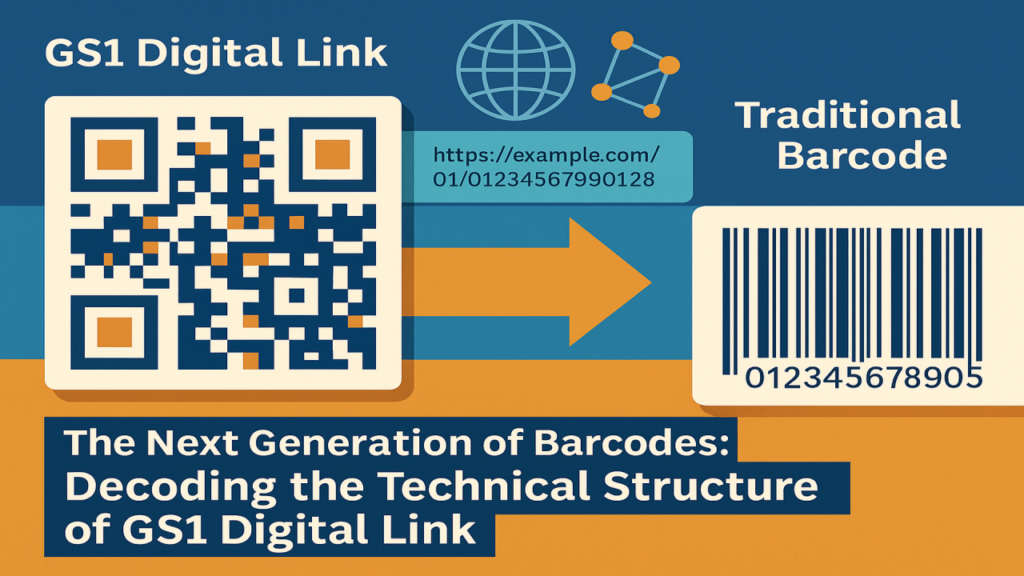
In the first article of this series, we introduced GS1 Digital Link QR codes as a transformative standard for connecting physical products to digital information. Now, let’s dive deeper into the technical underpinnings that make GS1 Digital Link so powerful. This article explores the URI syntax, key data elements, and the process of encoding GS1 Digital Link into QR codes, providing a clear understanding of how this standard works.
What Makes GS1 Digital Link Tick?
At its core, GS1 Digital Link is a structured URI (Uniform Resource Identifier) that embeds GS1 identifiers and additional data in a web-friendly format. Unlike traditional barcodes that require specialized scanners, GS1 Digital Link URIs are encoded into QR codes, making them scannable by any smartphone or QR code reader. The magic lies in its ability to combine standardized product identifiers with flexible, context-aware data delivery.
The technical structure of GS1 Digital Link revolves around three key components:
- URI Syntax: A standardized format for embedding GS1 data.
- Data Elements: GS1 identifiers and attributes like GTIN, lot number, or serial number.
- QR Code Encoding: The process of transforming the URI into a scannable QR code.
Understanding the URI Syntax
The GS1 Digital Link URI follows a specific structure that ensures compatibility across industries and systems. A typical GS1 Digital Link URI looks like this:
Let’s break it down:
- Domain: https://example.com is the resolver’s web address, which processes the URI and directs users to relevant information.
- Application Identifier (AI): 01 indicates the type of GS1 identifier, in this case, a GTIN (Global Trade Item Number).
- Identifier Value: 01234567890128 is the GTIN itself, a 14-digit code uniquely identifying a product.
Additional data can be included using more AIs. For example:
Here, 10 is the AI for a lot number, and ABC123 is the lot number value. This allows multiple pieces of information to be encoded in a single URI.
The GS1 Digital Link standard defines a path-based structure (e.g., /01/01234567890128) for primary identifiers, with optional query parameters for additional context, such as language or user role. For instance:
This URI might deliver product information in English, showcasing the flexibility of the standard.
Key Data Elements in GS1 Digital Link
GS1 Digital Link supports a range of GS1 identifiers and attributes, making it versatile for various use cases. The most common include:
- GTIN (AI 01): Identifies a product, such as a specific brand of olive oil.
- Lot Number (AI 10): Tracks a batch of products for quality control or recalls.
- Serial Number (AI 21): Provides a unique identifier for individual items, useful for high-value goods.
- Expiration Date (AI 17): Indicates when a product expires, critical for food and pharmaceuticals.
- Global Location Number (GLN, AI 414): Identifies a location, such as a warehouse or store.
These elements are combined in the URI to create a rich dataset. For example, a pharmaceutical product’s GS1 Digital Link might look like:
This URI encodes the GTIN, lot number, and expiration date (May 31, 2025), enabling traceability and compliance.
Encoding GS1 Digital Link into QR Codes
Once the URI is constructed, it’s encoded into a QR code for easy scanning. The process is straightforward:
- Construct the URI: Combine the domain, identifiers, and attributes following GS1 Digital Link syntax.
- Generate the QR Code: Use a QR code generator (e.g., open-source libraries like QRCode.js or commercial tools) to encode the URI. The URI is stored as plain text within the QR code.
- Optimize for Scanning: Ensure the QR code has sufficient contrast (e.g., black modules on a white background) and a quiet zone (margin) for reliable scanning. GS1 recommends a minimum module size of 0.3 mm for most applications.
- Test the QR Code: Verify that the QR code scans correctly and directs to the intended resolver service.
When scanned, the QR code’s URI is processed by a resolver—a web server that interprets the data and delivers tailored content. For example, a consumer might see product details, while a retailer might access inventory data, all from the same QR code.
Why the Technical Structure Matters
The structured URI and flexible data elements of GS1 Digital Link enable:
- Interoperability: The standard works across industries, from retail to healthcare, thanks to GS1’s global framework.
- Scalability: Businesses can add more data (e.g., serial numbers or expiration dates) without changing the QR code’s core structure.
- Dynamic Delivery: Resolvers provide context-specific information, enhancing user experiences and operational efficiency.
This technical foundation makes GS1 Digital Link a robust successor to traditional barcodes, aligning with modern web technologies and digital ecosystems.
Looking Ahead
Understanding the technical structure of GS1 Digital Link is key to appreciating its potential. In the next article, we’ll explore real-world use cases, from retail to supply chain, showing how businesses are leveraging GS1 Digital Link QR codes to drive transparency and engagement.
Stay tuned for more on how GS1 Digital Link is reshaping industries. What technical aspects of GS1 Digital Link are you most curious about? Share your thoughts!


